Quick start
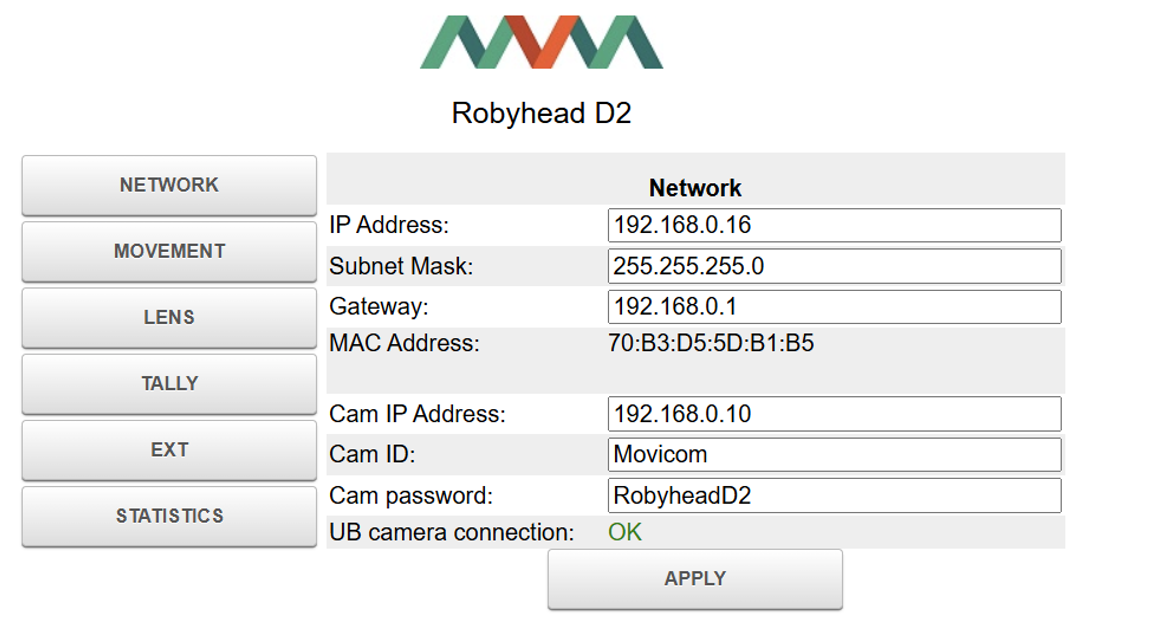
1. Network tab
To get started, you need to set the parameters correctly on the network tab.
On the NETWORK tab, you need to configure the device's network settings (IP Address,Subnet Mask, Gateway),
and also enter the correct camera data (Cam IP Address, Cam ID, Cam password).
To apply the settings, you need to click the button "Apply" and reboot the device.
If everything was configured correctly,
the status OK will appear in the field UB camera connection.
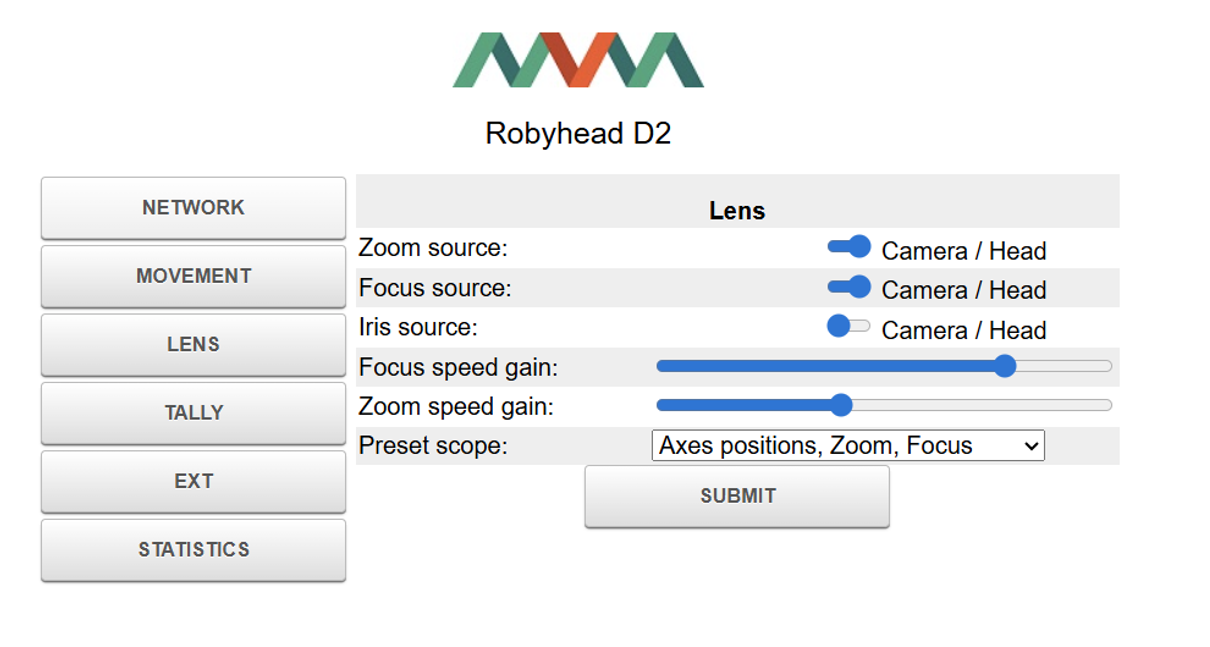
2. Lens tab
Next, you need to configure the lens control sources for each parameter separately (zoom, focus, iris) on the LENS tab. To use with motorized lenses, you need to select FROM CAMERA, and when using an external motor, select FROM HEAD.
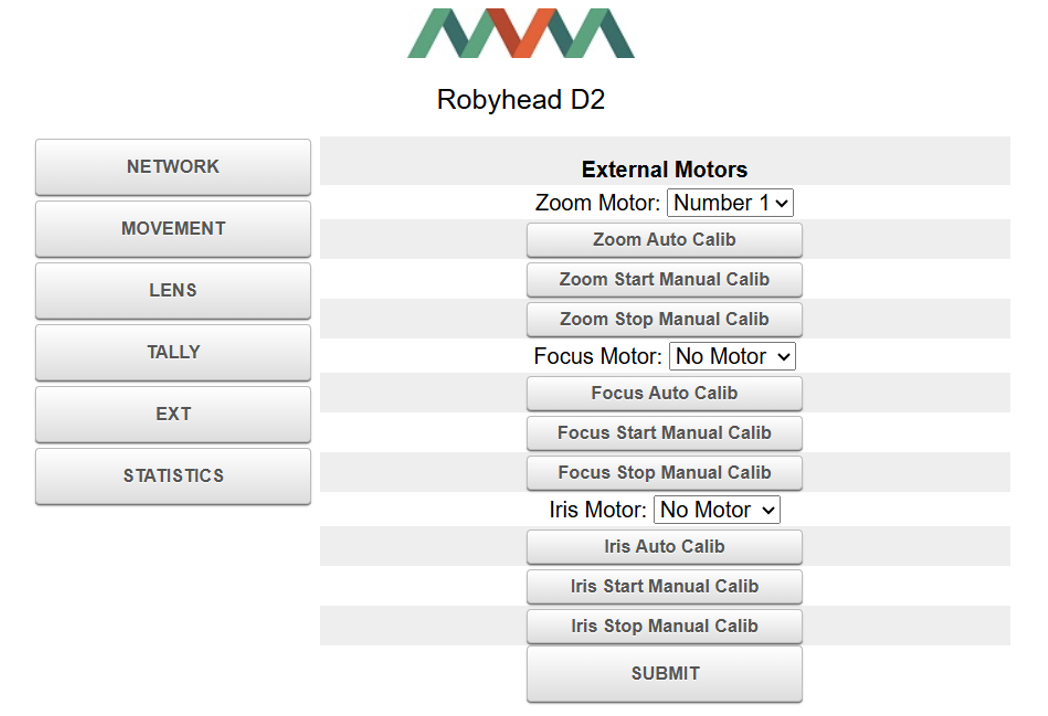
3. EXT tab
You also need to correctly configure the EXT tab.:
if a motor is used - specify the number;
if it is not used, set it to NO MOTOR.
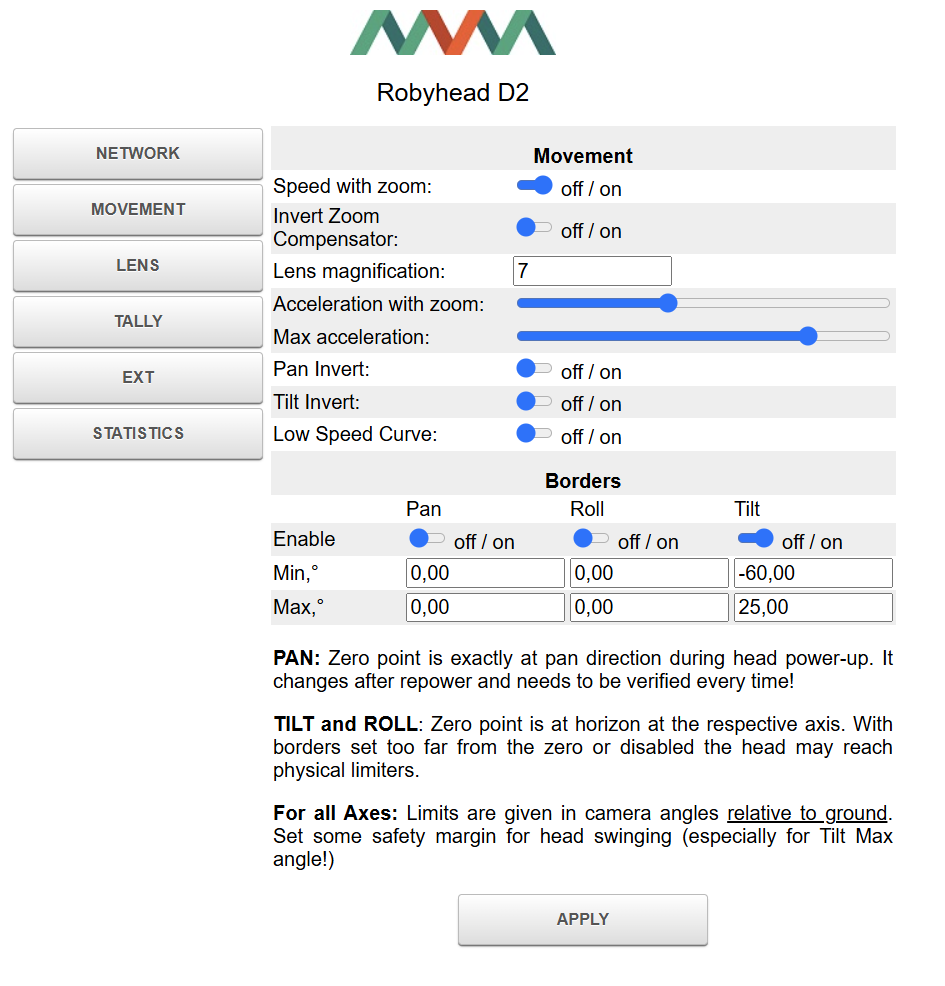
4. Movement tab
After saving the settings and restarting the device, you need to check the operation of the “speed with zoom” setting on the MOVEMENT tab. When zooming in, the device rotation speed should decrease. If it works in reverse, you need to change the state of the “Invert Zoom Compensator” setting.